Network monitoring tools for Windows and Mac
Why the network feels slow. Which doors are open, which links keep dropping, what is using the connection, and which office is the problem.
4 programs, free while we’re in preview. One file each. No account, no installer, nothing to uninstall.
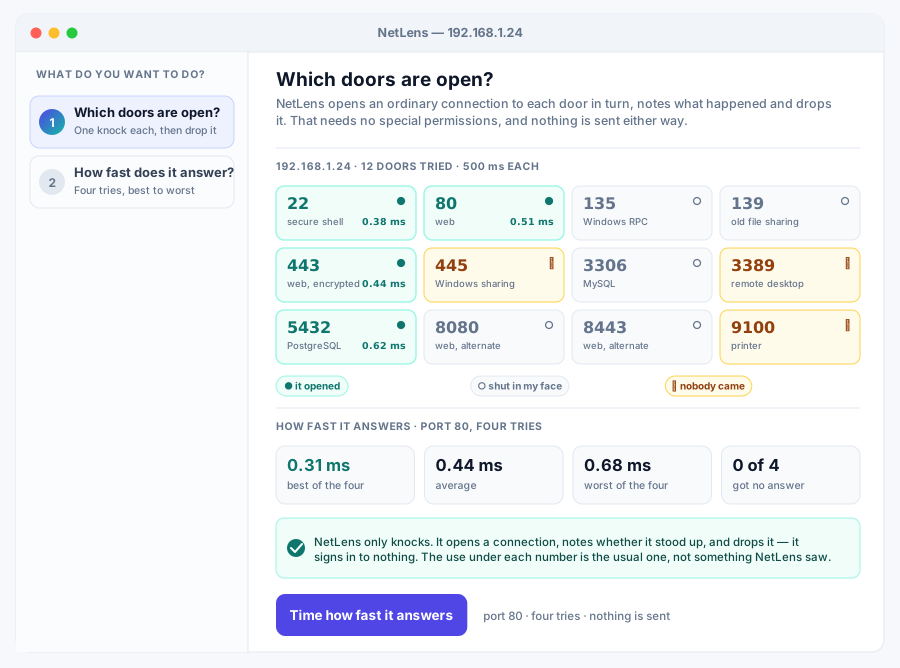

Port scanning and latency checks for one host, with no admin rights needed.
The Simple one of the 4: it keeps the settings to a minimum and picks sensible defaults for you, so there is almost nothing to learn before it is useful.
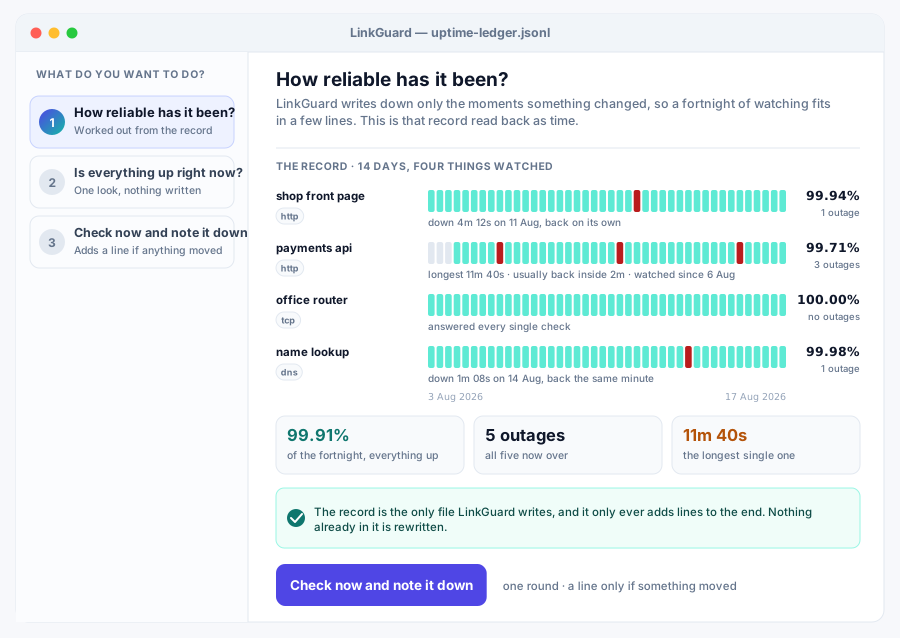

Probe the link every 30 seconds for a month, then write four lines about it.
The Vertical one of the 4: it is tuned for that work specifically, with presets and reports built around it rather than every setting under the sun.
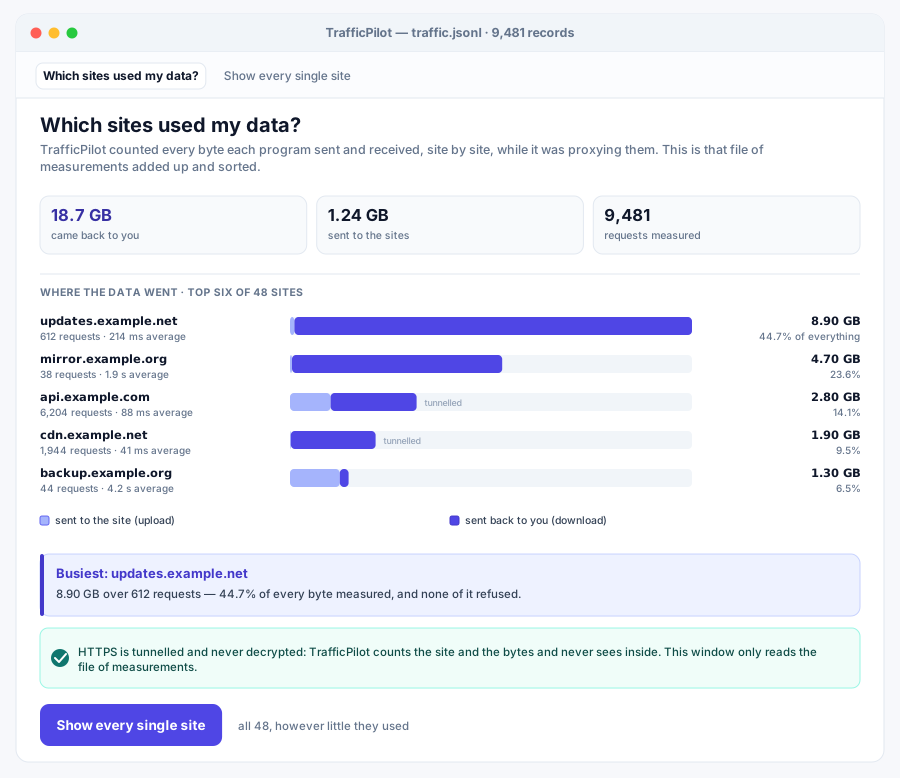

A local proxy that counts, per site, exactly how many bytes crossed the wire.
The Pro one of the 4: it adds the deeper settings and finer control that people who use it every day ask for, without getting in the way on a quick job.
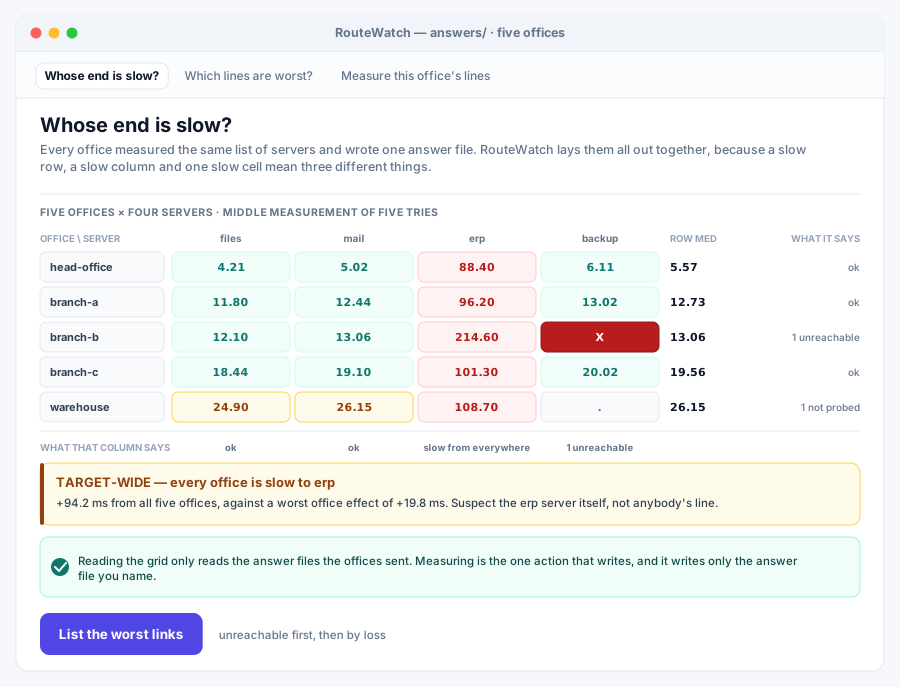

Six offices, ten targets, one grid that names whose network is at fault.
The Team one of the 4: it adds what a team needs: command-line control for scripts, settings you can roll out across machines, and a record of everything that ran.
Reading on this job
- How to find out what is using your bandwidth Per-application figures tell you which program is busy. They rarely tell you what it is busy talking to, which is usually the actual question.
What every program in this group guarantees
- Nothing is deleted. Anything a program removes is moved somewhere you can get it back from, and anything that changes files shows you the whole plan before it touches one.
- Nothing is reported back to us. No program here signs you in, phones home or counts what you did. The ones that use the network at all use it because that is the job, fetching a file you asked for, reaching a machine you named, and nowhere else.
- One file. Download it and run it. There is no installer, no runtime to fetch and nothing left behind if you delete it.
- The window and the command line are the same program. Double-click it for the window; give it arguments and the same binary runs as a command-line tool.
- The source is published for every program here, next to the download.
Looking for something else? Browse all 100 programs or see what a plan covers.